


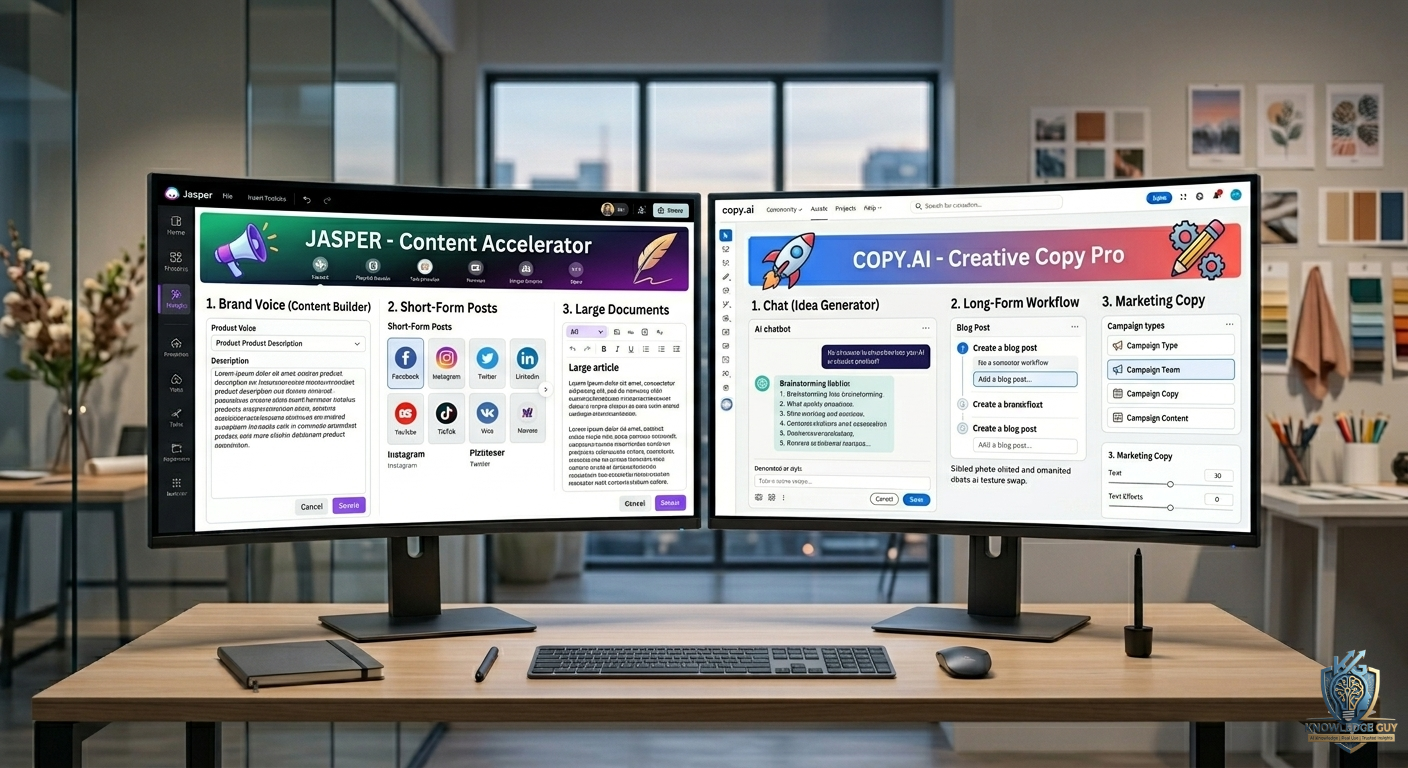
The first time I tested AI writing tools seriously, I wasn’t trying to “replace writers” or automate an entire business.
I just wanted help getting unstuck.
At that time, I was spending hours writing:
- blog drafts
- captions
- email ideas
- product descriptions
- and freelance proposals
The hardest part honestly wasn’t writing itself.
It was starting.
That blank screen feeling is brutal sometimes.
So I started testing dedicated AI writing platforms instead of only using general chatbots.
Two names kept appearing everywhere:
- Jasper
- Copy.ai
At first, they looked almost identical from the outside.
Both promised:
- faster writing
- AI-generated content
- marketing support
- and productivity improvements
But after using both tools for actual projects, I realized they feel very different in real workflow situations.
One felt more structured and professional.
The other felt simpler and faster.
Here’s what actually happened after using Jasper and Copy.ai side by side.
My First Impression of Jasper
The first thing I noticed about Jasper was that it felt very business-focused immediately.
The interface looked polished, and the platform seemed built for:
- marketers
- agencies
- teams
- content creators
Instead of just casual AI chatting.
It felt more “serious.”
Especially for long-form content workflows.
At first, I honestly felt slightly overwhelmed because there were many templates, tools, and writing modes.
But after spending time with it, I started understanding why professionals like it.
Copy.ai Felt Simpler Right Away
Copy.ai gave me a completely different first impression.
Everything felt:
- faster
- cleaner
- easier to jump into
I didn’t need much setup or learning.
I could quickly generate:
- captions
- product descriptions
- social media posts
- short-form content ideas
without thinking too much.
For beginners, that simplicity honestly feels refreshing.
Jasper Felt Better for Long-Form Content
This became obvious very quickly.
Whenever I worked on:
- blog articles
- structured content
- long marketing copy
- detailed writing projects
Jasper handled workflow better.
The platform felt more organized for building longer pieces step by step.
Especially when maintaining:
- tone
- structure
- consistency
across larger content.
That helped a lot during blogging work.
Copy.ai Was Faster for Quick Ideas
Whenever I needed fast outputs like:
- Instagram captions
- short ad copy
- headline ideas
- quick brainstorming
Copy.ai felt faster and more lightweight.
I didn’t feel like I was entering a full writing workspace.
I could simply:
- type idea
- generate outputs
- pick useful version
- edit quickly
Done.
That speed became very convenient.
The Biggest Mistake I Made Using Both Tools
At first, I treated AI-generated writing like finished content.
Big mistake.
The outputs often sounded:
- repetitive
- generic
- overly polished
- or emotionally flat
especially if I copied them directly.
The real improvement happened when I started using AI for:
- first drafts
- idea generation
- structure assistance
instead of final publishing.
Human editing still matters a lot.
Jasper Helped Me Stay More Organized
One thing I genuinely liked about Jasper was the workflow structure.
It felt built for people handling serious content production.
Especially for:
- agencies
- marketing teams
- blog workflows
- SEO-focused writing
The platform encourages more organized writing systems.
That became useful once I started publishing content regularly.
Copy.ai Felt Less Intimidating
This matters more than people realize.
Some AI tools feel too “corporate” or complicated when you’re starting out.
Copy.ai felt approachable.
Even beginners can understand it quickly.
That simplicity makes it easier to:
- experiment
- brainstorm
- and create content faster without pressure.
How I Actually Used Jasper in Real Work
After weeks of testing, I naturally started using Jasper for bigger projects.
What I used it for:
- blog article drafts
- long-form writing
- SEO content ideas
- structured outlines
- marketing workflows
It worked best when I needed consistency across larger content pieces.
How I Actually Used Copy.ai
Copy.ai became my “quick content tool.”
What I used it for:
- captions
- product descriptions
- ad ideas
- headline brainstorming
- email variations
- quick social content
It reduced creative friction nicely.
Especially during busy days.
Real Situations Where Jasper Worked Better
There were definitely situations where Jasper felt stronger.
Long Blog Articles
Jasper handled long-form structure better for me.
Especially for SEO-focused blogging.
Consistent Brand Tone
The writing felt easier to guide toward specific styles and tone.
Marketing Workflows
It felt built for professional content production systems.
Larger Projects
Managing bigger writing projects felt smoother inside Jasper.
Real Situations Where Copy.ai Worked Better
Copy.ai became useful for different reasons.
Quick Content Generation
Very fast for short-form ideas.
Social Media Captions
Simple workflow and quick outputs.
Brainstorming
Good for generating multiple variations rapidly.
Beginner-Friendly Writing
Less overwhelming for casual creators.
Common Mistakes Beginners Make With AI Writing Tools
I definitely made these mistakes early on.
1. Publishing raw AI content
AI drafts usually still need editing and personalization.
2. Using vague prompts
Weak prompts create weak outputs.
Prompt quality matters massively.
3. Expecting human creativity automatically
AI helps accelerate writing — not replace originality completely.
4. Using too many templates
Too many tools can actually slow workflow.
5. Ignoring editing completely
Human polish is what makes content feel authentic.
What Actually Improved My Writing the Most
Surprisingly, it wasn’t the AI-generated text itself.
The biggest improvement came from reducing creative exhaustion.
Earlier, starting content felt mentally draining sometimes.
AI tools helped with:
- overcoming blank-page syndrome
- organizing ideas
- generating structure
- speeding up repetitive writing tasks
That freed more energy for actual creativity.
Which Tool Would I Recommend for Beginners?
Honestly?
If someone is completely new to AI writing tools, Copy.ai probably feels easier initially.
The interface is simpler and less intimidating.
Especially for:
- creators
- freelancers
- beginners
- social media users
Who Should Use Jasper?
I’d recommend Jasper more for:
- bloggers
- agencies
- marketers
- SEO-focused writers
- businesses creating larger amounts of content
Especially if workflow organization matters heavily.
A Simple Way to Decide Between Jasper and Copy.ai
Here’s the clearest difference based on my experience.
Use Jasper if you want:
- long-form writing
- structured workflows
- SEO-focused content
- professional content systems
- organized writing process
Use Copy.ai if you want:
- fast content generation
- captions
- brainstorming
- beginner simplicity
- lightweight workflow
That’s honestly the biggest real-world difference I noticed.
Final Thoughts
After using Jasper and Copy.ai side by side for actual projects, I stopped thinking about AI writing tools as magical replacements for creativity.
They’re productivity tools.
Jasper felt more like:
- a professional writing workspace
- a structured content assistant
- a serious marketing tool
Copy.ai felt more like:
- a fast brainstorming partner
- a lightweight content helper
- a quick creativity booster
The people getting the best results from AI writing tools right now are usually not the ones blindly publishing raw AI text.
They’re the ones combining:
- AI speed
- human editing
- real experiences
- and personal creativity.











