


I still remember the moment I almost submitted a freelance article with embarrassing grammar mistakes.
It wasn’t because I didn’t know English.
It was because I had been writing for hours, editing for hours, and my brain just stopped noticing small errors.
Missing commas. Awkward sentences. Repeated phrases.
The usual “tired writer” problems.
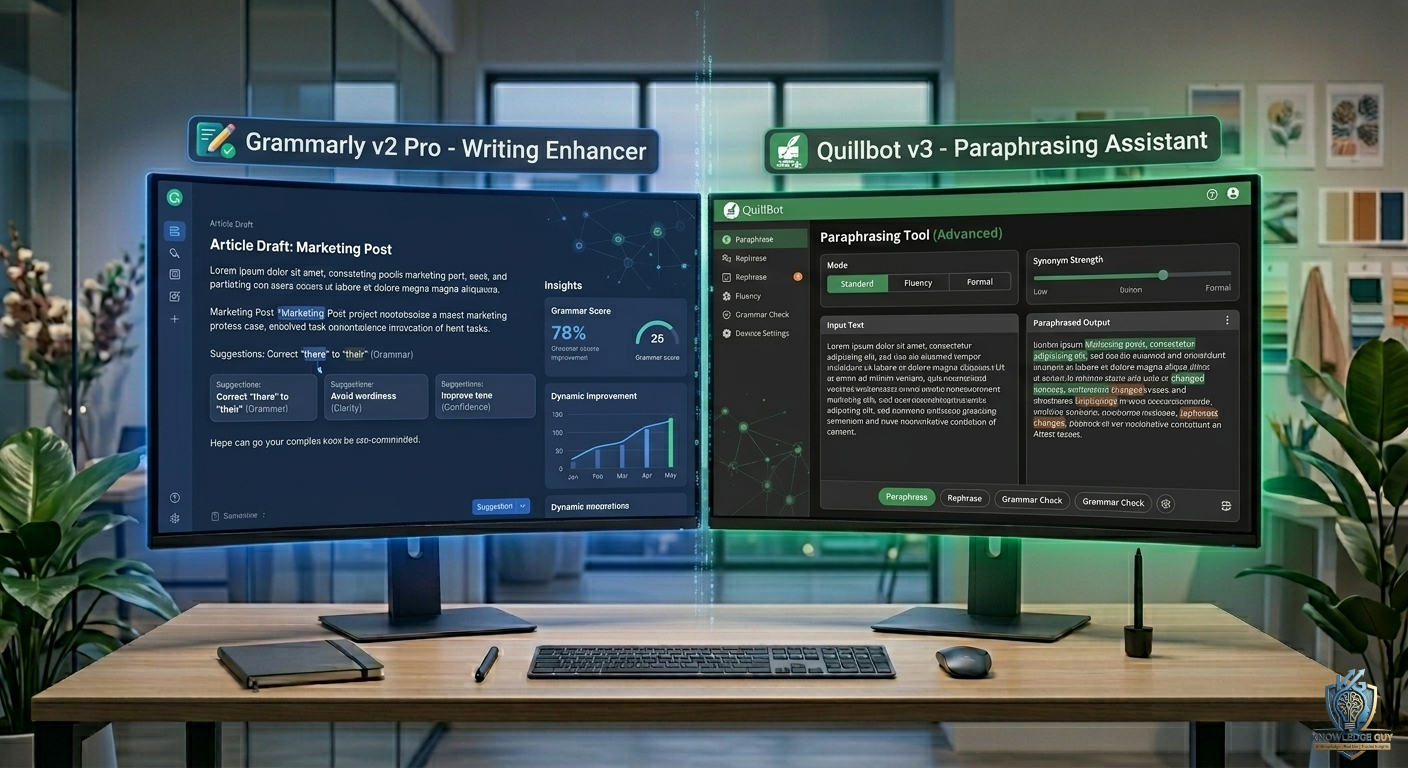
That’s when I started seriously using Grammarly and Quillbot together instead of treating them as random “AI writing tools.”
At first, I thought they were basically the same thing.
A few weeks later, I realized that’s completely wrong.
They don’t compete with each other.
They fix different stages of writing.
My First Experience With Grammarly
Grammarly felt like a safety net.
The moment I pasted my writing into it, it started pointing out:
- grammar mistakes
- punctuation issues
- unclear sentences
- tone problems
- awkward phrasing
What surprised me wasn’t just the corrections.
It was how many small mistakes I was missing on my own.
Even simple things like:
- missing articles
- repeated words
- slightly confusing sentence flow
Things you don’t notice when you’re deep in writing.
Grammarly made my writing feel “cleaner” instantly.
But there was something it didn’t do well.
It didn’t really change the structure or rewrite ideas creatively.
It mostly fixed what already existed.
My First Experience With Quillbot
Quillbot felt completely different.
Instead of correcting mistakes, it focused on rewriting.
When I pasted a paragraph, it would:
- rephrase sentences
- change structure
- simplify complex wording
- generate alternative versions
At first, I honestly overused it.
I started rewriting everything.
But I quickly noticed a problem.
If you don’t understand your own content, Quillbot can make it feel too artificial or disconnected from your original voice.
Still, when used properly, it’s incredibly useful for cleaning up messy writing.
The Biggest Mistake I Made Using Both Tools
At the beginning, I used Grammarly and Quillbot interchangeably.
That was a mistake.
Because:
- Grammarly improves correctness
- Quillbot changes structure
They are not substitutes.
They are layers in the writing process.
Once I understood this, my workflow improved a lot.
Grammarly Helped Me Catch What I Missed
The biggest value of Grammarly for me was simple:
It catches things your brain ignores.
Especially when you’ve been staring at the same text for too long.
It helped me with:
- final proofreading
- email writing
- blog editing
- client work
- tone adjustments
One time, I almost sent a proposal with a completely wrong sentence structure.
Grammarly flagged it instantly.
That alone saved me from looking unprofessional.
Quillbot Helped Me Fix Weak Writing
Quillbot became useful when my writing felt:
- repetitive
- too long
- unclear
- or badly structured
Instead of manually rewriting everything, I could:
- simplify paragraphs
- generate cleaner versions
- improve readability
But I learned something important:
Quillbot works best when you already have decent writing.
It improves expression, not thinking.
How I Actually Use Grammarly Now
After testing it in real work, my Grammarly usage became very specific.
I mainly use it for:
Final editing stage
Before publishing anything, I always run it through Grammarly.
Email writing
Especially professional emails where tone matters.
Freelance work
Clients notice small mistakes quickly.
Blog polishing
It helps make content smoother and more readable.
It’s not something I rely on for writing itself.
It’s something I use after writing.
How I Actually Use Quillbot Now
Quillbot fits earlier in my workflow.
I use it for:
Cleaning rough drafts
When I write messy first drafts quickly.
Rewriting repetitive sentences
Especially in long blog articles.
Simplifying complex ideas
When my writing becomes too heavy.
Paraphrasing content ideas
To test different versions of the same paragraph.
But I always review everything manually afterward.
Real Example From My Writing Process
Here’s how both tools actually work together in my routine.
Step 1: Write First Draft (No AI tools)
I write freely without worrying about mistakes.
Step 2: Improve Structure (Quillbot)
I take messy paragraphs and simplify or rephrase them.
This helps clean up flow.
Step 3: Final Editing (Grammarly)
I run the cleaned version through Grammarly.
It fixes:
- grammar
- punctuation
- tone
- readability
Step 4: Human Review
I always read everything manually one last time.
This step is important.
Grammarly Feels Better for Professional Writing
If I had to describe Grammarly in one sentence:
It makes your writing look polished and professional.
Especially useful for:
- business writing
- emails
- client communication
- final blog edits
It doesn’t change your voice much.
It just cleans it.
Quillbot Feels Better for Draft Improvement
Quillbot feels more like:
A rewriting assistant for messy content.
It helps when your writing feels:
- unorganized
- repetitive
- or too complex
But it doesn’t replace editing.
It reshapes content.
Common Mistakes People Make With These Tools
I made most of these early on.
1. Relying only on Grammarly
Grammarly won’t fix weak ideas or poor structure.
2. Overusing Quillbot
If you rewrite everything, your writing can lose personality.
3. Skipping manual review
Both tools can miss context-based issues.
4. Expecting perfect output instantly
AI tools reduce effort — they don’t remove responsibility.
5. Confusing grammar with quality
Correct grammar doesn’t automatically mean good writing.
What Actually Improved My Writing
The biggest improvement didn’t come from either tool alone.
It came from understanding my workflow.
Now I think of writing in layers:
- First layer → ideas and raw writing
- Second layer → structure cleanup (Quillbot)
- Third layer → grammar polish (Grammarly)
- Final layer → human editing
That system changed everything.
Which Tool Should Beginners Use?
If someone is just starting out:
👉 Grammarly is easier to begin with
Because it gives instant feedback without changing your writing too much.
It feels safer.
Who Should Use Quillbot?
Quillbot is better for:
- bloggers
- content creators
- students rewriting notes
- people improving writing flow
- long-form content work
It helps more with rewriting than correcting.
A Simple Way to Understand the Difference
Here’s the easiest breakdown based on real use:
Grammarly = Correction Tool
- grammar
- spelling
- tone
- clarity
- final polish
Quillbot = Rewriting Tool
- paraphrasing
- restructuring
- simplifying text
- improving flow
That’s the real difference.
Final Thoughts
After using Grammarly and Quillbot in real writing work, I stopped thinking of them as competing tools.
They solve different problems at different stages.
Grammarly makes writing:
- cleaner
- more professional
- more accurate
Quillbot makes writing:
- smoother
- simpler
- easier to read
The real productivity boost doesn’t come from choosing one over the other.
It comes from knowing when to use each one.
Once you figure that out, writing becomes less stressful and much more efficient — especially when you’re producing content regularly.











