


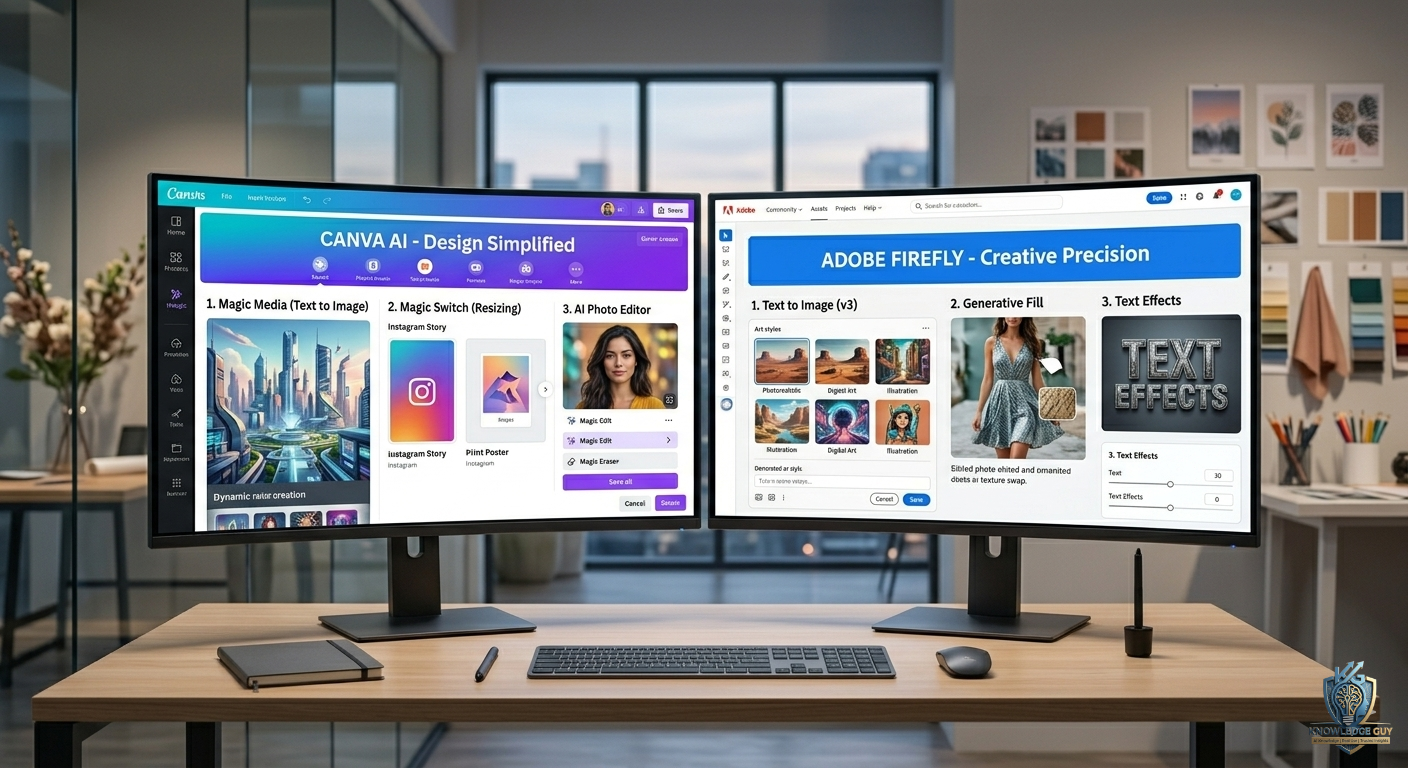
A few months ago, I had one of those frustrating moments where a simple design task somehow turned into a 4-hour struggle.
I only wanted to make:
- a YouTube thumbnail
- some Instagram graphics
- and a presentation banner
That’s it.
But I kept switching between tools, fixing layouts, searching for stock images, and trying to make everything look “professional.”
That’s when I seriously started testing AI design tools instead of just watching YouTube reviews about them.
The two tools I kept hearing about everywhere were:
- Canva AI
- Adobe Firefly
At first, I assumed they were basically doing the same thing.
After using both for real projects, I realized they’re actually built for very different types of users.
One felt fast and beginner-friendly.
The other felt more creative and powerful — but sometimes overwhelming.
If you’re confused between Canva AI vs Adobe Firefly, here’s the comparison I genuinely wish someone gave me earlier.
My First Impression of Canva AI
The first thing I noticed about Canva AI was how easy everything felt.
Honestly, Canva almost removes the fear of designing.
Even if you’ve never touched professional design software before, you can still create:
- presentations
- thumbnails
- social posts
- posters
- resumes
- videos
without feeling lost.
That’s why so many beginners love it.
The AI tools inside Canva felt focused on:
- speed
- convenience
- and simplicity
Which honestly helped me a lot during busy workdays.
Adobe Firefly Felt More Creative Immediately
Adobe Firefly gave me a completely different feeling.
Instead of focusing mainly on templates and quick layouts, it felt more focused on AI-generated creativity.
Especially for:
- AI image generation
- text effects
- artistic visuals
- advanced edits
The results often looked more visually impressive compared to Canva AI.
But there was also a learning curve.
At first, I felt slightly overwhelmed because Adobe tools generally expect users to understand design concepts better.
Canva AI Saved Me More Time
This became obvious quickly.
Whenever I needed:
- fast thumbnails
- Instagram posts
- quick presentations
- blog graphics
- simple client work
I naturally opened Canva first.
Why?
Because Canva is built around workflow speed.
You don’t spend much time figuring things out.
You simply:
- choose template
- generate ideas with AI
- edit quickly
- export
Done.
That simplicity matters more than people realize.
Adobe Firefly Produced Better AI Art Results
This was probably the biggest strength I noticed from Firefly.
When I tested:
- AI-generated illustrations
- fantasy-style graphics
- cinematic visuals
- creative artwork
Adobe Firefly often produced more detailed and visually impressive results.
Especially compared to Canva’s simpler AI image tools.
For highly creative projects, Firefly felt more powerful.
The Biggest Mistake I Made Using Both Tools
At first, I kept expecting AI to fully replace design skills.
That was unrealistic.
Both tools still require:
- creativity
- editing decisions
- visual judgment
- and human adjustments
Sometimes AI-generated designs looked amazing immediately.
Other times they looked awkward or generic.
Learning how to guide the AI became more important than the tool itself.
How I Actually Use Canva AI Now
After months of using it, Canva became my “everyday design tool.”
What I use it for:
- blog featured images
- social media graphics
- YouTube thumbnails
- quick presentations
- portfolio visuals
- simple branding
The biggest advantage?
It reduces friction.
You can go from idea to finished design extremely fast.
Especially useful for beginners or busy creators.
How I Actually Use Adobe Firefly Now
I use Firefly differently.
Mostly for:
- AI-generated artwork
- unique visuals
- creative experiments
- image generation ideas
- advanced visual concepts
It feels more like a creative AI lab than an all-in-one design platform.
That’s not a bad thing.
It’s just built differently.
Canva AI Felt Better for Beginners
This matters a lot.
If someone has zero design experience, Canva feels much less intimidating.
The interface is:
- cleaner
- simpler
- easier to understand
You can create decent-looking designs within minutes.
That accessibility is honestly one of Canva’s biggest strengths.
Adobe Firefly Felt Better for Creative Flexibility
Firefly gave me more freedom creatively.
Especially for:
- visual experimentation
- artistic concepts
- image manipulation
- advanced AI visuals
The outputs sometimes looked more unique and polished.
But getting great results usually required more experimentation.
Real Situations Where I Preferred Canva AI
There were many situations where Canva simply made more sense.
Creating YouTube Thumbnails Quickly
Canva wins here easily for me.
Templates + drag-and-drop workflow make the process very fast.
Social Media Content
Again, Canva felt smoother.
Especially for:
- Instagram posts
- story graphics
- carousel designs
Everything is optimized for content creators.
Presentations
Canva presentations became surprisingly good.
Especially for beginners.
Fast Client Work
If I needed something quickly, Canva usually saved more time.
Real Situations Where I Preferred Adobe Firefly
Firefly became useful for more creative-heavy tasks.
AI Art Generation
This is where Firefly felt stronger visually.
Especially for unique image concepts.
Artistic Projects
Creative visuals often looked more detailed and cinematic.
Advanced Image Ideas
Firefly handled experimental prompts surprisingly well sometimes.
Common Mistakes Beginners Make With AI Design Tools
I definitely made these mistakes early on.
1. Expecting perfect results instantly
AI designs still need editing.
Especially for professional work.
2. Overusing AI effects
Too many effects make designs look messy quickly.
Cleaner designs usually look better.
3. Ignoring basic design principles
AI helps speed things up, but:
- spacing
- readability
- color balance
- simplicity
still matter.
4. Depending entirely on templates
Templates are helpful, but customization makes designs stand out.
5. Using the wrong tool for the wrong task
This happens a lot.
Canva and Firefly are not identical tools.
They solve different problems.
What Actually Surprised Me the Most
The biggest surprise wasn’t the AI itself.
It was how much faster creative work became once repetitive design tasks disappeared.
Earlier, even simple graphics felt mentally exhausting.
Now AI handles:
- layout suggestions
- image generation
- resizing
- design ideas
- and content assistance
That frees more energy for actual creativity.
Which Tool Would I Recommend for Beginners?
Honestly?
For most beginners:
👉 Canva AI is the easier starting point.
Especially if your goals involve:
- content creation
- blogging
- YouTube
- social media
- presentations
- freelancing
The learning curve feels much smoother.
Who Should Use Adobe Firefly?
I’d recommend Firefly more for people interested in:
- creative experimentation
- AI artwork
- advanced visuals
- artistic projects
- Adobe ecosystem workflows
Especially if you already use Photoshop or other Adobe tools.
A Simple Way to Decide Between Canva AI and Adobe Firefly
Here’s the easiest breakdown based on my real experience.
Use Canva AI if you want:
- speed
- simplicity
- templates
- social media graphics
- beginner-friendly workflow
- fast content creation
Use Adobe Firefly if you want:
- stronger AI artwork
- creative flexibility
- advanced visuals
- artistic experimentation
- Adobe integration
That’s honestly the clearest difference I noticed after using both.
Final Thoughts
After testing Canva AI and Adobe Firefly side by side for real projects, I stopped thinking about them as direct competitors.
They actually feel like tools designed for different types of creators.
Canva AI became my:
- fast workflow tool
- productivity design platform
- everyday content creator assistant
Adobe Firefly became my:
- creative experimentation tool
- AI art generator
- advanced visual playground
The people getting the best results from AI design tools right now are usually not the ones obsessing over which platform is “better.”
They’re the ones learning:
- when to use each tool
- how to guide AI properly
- and how to combine AI speed with human creativity.











