


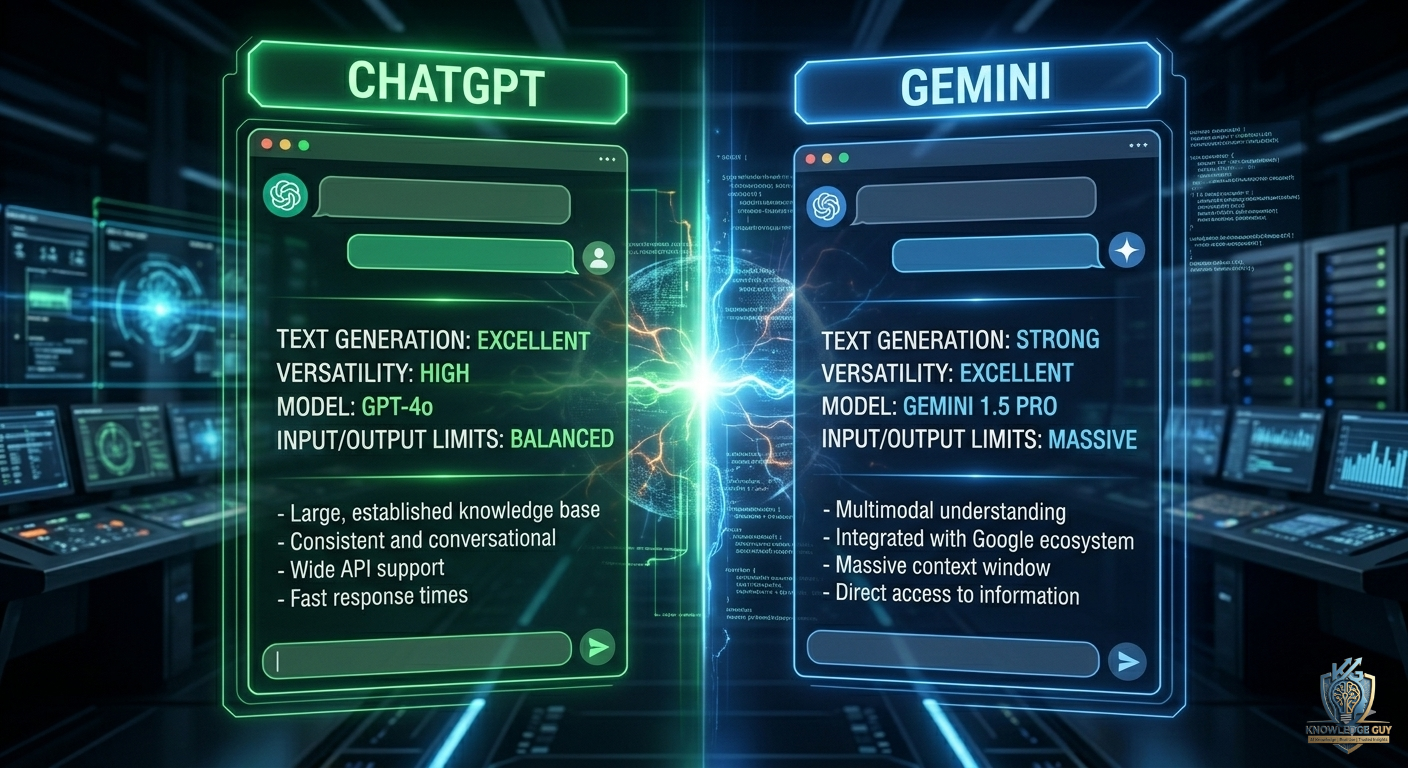
The first time I tried comparing ChatGPT and Gemini properly, I thought the difference would be small.
A chatbot is a chatbot… right?
That’s honestly what I believed.
But after using both almost daily for writing, research, productivity, coding help, and random problem-solving, I realized they actually feel very different in real-world use.
Sometimes ChatGPT felt smarter and easier to talk to.
Sometimes Gemini surprised me with how connected it felt to Google tools.
And sometimes both gave completely different answers to the same question.
That’s when the comparison became interesting.
This article isn’t based on benchmarks or technical marketing claims.
It’s based on actual day-to-day use.
The Biggest Mistake People Make When Comparing AI Tools
Most people try AI tools once and instantly decide:
“This one is better.”
I did the same thing at first.
But AI tools behave differently depending on what you’re doing.
For example:
- one tool may feel better for writing
- another may feel better for research
- another may work better for coding or productivity
The experience changes a lot based on your workflow.
That’s why I started testing both tools across real tasks instead of random prompts.
My First Experience Using ChatGPT
The thing that stood out immediately with ChatGPT was the conversation quality.
It felt natural.
Almost like talking to someone who understood context properly.
I started using it for:
- writing help
- brainstorming
- explaining difficult topics
- fixing awkward sentences
- productivity ideas
- coding questions
The biggest strength for me was how smooth the interaction felt.
Instead of repeating myself constantly, it usually understood follow-up questions well.
That made longer conversations easier.
Gemini Felt Different Right Away
Gemini gave me a very different experience.
The first thing I noticed was how connected it felt to the Google ecosystem.
That became useful surprisingly quickly.
For example:
- Google Docs integration
- Gmail assistance
- quick research workflows
- Google Workspace support
If you already use Google products heavily, Gemini feels naturally connected to your workflow.
That’s something I didn’t fully expect before trying it seriously.
ChatGPT Felt Better for Deep Conversations
One thing I noticed repeatedly was this:
ChatGPT usually handled longer, more detailed conversations better for me.
Especially when:
- brainstorming ideas
- writing articles
- explaining concepts step by step
- asking follow-up questions
It felt more conversational and flexible.
Sometimes I’d spend 30–40 minutes refining one idea with it without feeling lost.
That became extremely useful for content creation and blogging.
Gemini Worked Surprisingly Well for Quick Information
Gemini felt stronger for quick information tasks.
Especially:
- short research
- summarizing web content
- finding quick answers
- connecting information across Google services
For fast productivity tasks, it often felt efficient.
But sometimes the responses felt shorter or less detailed compared to ChatGPT.
Where ChatGPT Helped Me Most
After months of testing, here’s where ChatGPT genuinely helped me most.
Writing and Content Creation
This became the biggest advantage for me personally.
I used ChatGPT for:
- article outlines
- rewriting awkward paragraphs
- brainstorming blog topics
- improving flow
- simplifying explanations
It helped remove creative blocks quickly.
Especially when I didn’t know how to start writing.
Learning and Explanations
When I asked difficult questions, ChatGPT often explained things more naturally.
Instead of overly technical answers, it usually adapted to the tone I requested.
For example:
“Explain this like I’m a beginner.”
That made learning easier.
Brainstorming Ideas
This is where I personally found ChatGPT strongest.
It worked well for:
- content ideas
- YouTube concepts
- business brainstorming
- productivity systems
- freelance workflows
The back-and-forth conversation style helped a lot.
Where Gemini Helped Me Most
Gemini also had areas where it genuinely felt useful.
Google Workspace Integration
This became the most practical feature.
If your workflow already depends on:
- Gmail
- Docs
- Sheets
- Drive
Gemini feels naturally connected.
That can save time during work or studying.
Quick Research
Gemini often worked well for:
- quick summaries
- fast answers
- short information lookups
Especially when I didn’t need deep conversations.
Productivity Tasks
I found Gemini useful for:
- organizing ideas quickly
- summarizing information
- handling smaller tasks efficiently
It felt more productivity-focused at times.
Real Differences I Actually Noticed
After testing both tools regularly, these were the biggest real-world differences I noticed.
ChatGPT Felt More Conversational
The responses usually felt:
- smoother
- more detailed
- more human-like
- easier to continue naturally
Especially during long sessions.
Gemini Felt More Integrated
Gemini worked well inside the Google ecosystem.
That made it practical for:
- students
- office work
- document-based workflows
Especially if you already rely heavily on Google services.
ChatGPT Usually Gave Better Long-Form Writing Help
For blogs, scripts, and detailed content, I personally preferred ChatGPT.
The responses often felt:
- more structured
- more creative
- easier to edit
Especially for content creators.
Gemini Sometimes Felt Faster for Small Tasks
For quick answers or lightweight research, Gemini often felt efficient.
Less conversational.
More direct.
Depending on your needs, that can actually be useful.
Common Mistakes I Made While Using Both
I definitely made some beginner mistakes.
1. Expecting perfect answers instantly
Both tools still need good prompts.
The quality of your instructions changes results massively.
2. Trusting AI answers blindly
Sometimes both tools gave incomplete or inaccurate information.
Verification still matters.
3. Using vague prompts
Generic prompts create generic responses.
Detailed prompts improve output dramatically.
4. Comparing tools unfairly
Different AI tools are optimized differently.
One tool being better at writing doesn’t mean it’s better at everything.
The Prompting Trick That Improved Both Tools
This single change improved my experience with both ChatGPT and Gemini.
Instead of asking:
“Write about AI tools.”
I started asking:
“Write a beginner-friendly article about AI tools using simple language and practical examples.”
That extra context improves quality massively.
This works across almost every AI tool.
Which One Felt Better for Students?
From my experience:
ChatGPT worked better for:
- explanations
- study help
- essay ideas
- deep learning
Gemini worked better for:
- Google-based workflows
- quick summaries
- document assistance
Students could honestly benefit from both depending on workflow.
Which One Felt Better for Content Creators?
For content creation, I personally leaned more toward ChatGPT.
Especially for:
- blogging
- scripting
- brainstorming
- rewriting
- long-form writing
The conversational flow simply felt stronger for creative work.
Which One Felt Better for Productivity?
This one depends heavily on your setup.
If you use Google tools constantly:
Gemini feels very convenient.
If you want flexible conversations and creative workflows:
ChatGPT feels stronger.
My Honest Workflow Now
After using both for a while, I stopped treating it like a competition.
Now I use:
- ChatGPT for creative work and deep conversations
- Gemini for quick research and Google-related tasks
That combination actually works well for me.
Final Thoughts
After spending real time with both ChatGPT and Gemini, I realized there probably isn’t one “perfect” AI tool for everyone.
The better option depends on:
- what kind of work you do
- how you study
- how you write
- and which ecosystem you already use daily
For me, ChatGPT felt stronger for:
- creativity
- writing
- brainstorming
- and detailed conversations
While Gemini felt useful for:
- quick productivity tasks
- Google integration
- and fast information workflows
Both tools are improving constantly, which means the real advantage comes from learning how to use them properly instead of endlessly arguing which one wins.











